Payroll Management
Still Managing Payroll in Excel? How Delhi NCR Businesses Can Make Salary Processing Easier?
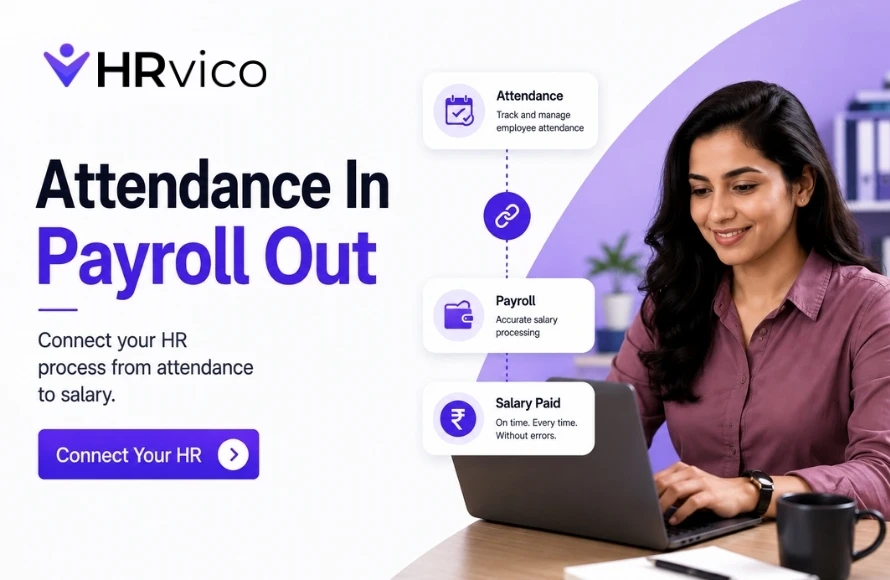
Payroll may look simple when a company has a small team. But as employee numbers increase, salary processing can quickly become one of the most time-consuming responsibilities for HR. Every month, HR teams have to collect attendance data, check leave records, calculate salaries, manage deductions, verify changes and prepare payroll records. When all of this is handled through Excel, even a small mistake can create additional checking and correction work. For businesses in Delhi NCR, including Noida, Greater Noida, Delhi, Gurugram, Ghaziabad and Faridabad, moving from manual payroll management to payroll software can make salary processing more organized and efficient. Excel is familiar, flexible and easy to start with. For a very small team, it may be enough for basic salary calculations. The challenge begins when payroll becomes more complex. HR may have to manage: ✓ Multiple employee salary structures As these records increase, maintaining everything manually becomes harder. HR teams may need to repeatedly enter employee information, attendance data and salary-related details. The more information that has to be entered manually, the more time payroll processing can take. A wrong formula, incorrect value or outdated spreadsheet can affect salary calculations. Finding the source of an error can also take additional time, especially when multiple files are involved. Attendance and leave often affect payroll. When HR manually transfers information from attendance sheets into payroll spreadsheets, there is a possibility of missing or incorrect data. One file for employees, another for attendance and another for payroll may seem manageable initially. But over time, HR may end up dealing with multiple versions and outdated information. Payroll is a recurring process. If HR spends several hours every month preparing, checking and correcting payroll, that time adds up. The goal should be to make payroll processing more efficient instead of repeating the same manual work every month. Payroll software can help businesses move from spreadsheet-heavy processes to more structured digital workflows. Payroll software can keep relevant employee and salary information organized in one system. This reduces the need to search through different files and makes important information easier to access. Attendance and leave information can influence salary calculations. With an integrated HR and payroll workflow, HR teams can work with organized attendance and leave data instead of manually transferring information between spreadsheets. Payroll software can automate relevant salary calculations based on the information entered into the system. This reduces repetitive calculation work and can help HR teams minimize common manual mistakes. Employee salary changes, deductions and other payroll adjustments need to be carefully recorded. A digital payroll system provides a structured way to manage these updates instead of relying on manually edited spreadsheets. When employee information and payroll inputs are organized in one system, HR teams can spend less time collecting and checking data. This can make the monthly payroll cycle smoother and more manageable. Businesses need to maintain payroll information for their internal records. A centralized payroll system can make it easier for authorized users to access relevant payroll information when required. The biggest benefit isn't simply faster calculations. Payroll software can reduce repetitive administrative work, allowing HR professionals to spend more time on recruitment, employee engagement and other important responsibilities. You don't need to wait until payroll becomes a major problem. Consider moving to payroll software if: ✓ Your employee count is growing If several of these situations sound familiar, it may be time to consider a more organized payroll solution. Before choosing payroll management software, consider whether it supports your actual payroll workflow. Look for: ✓ Employee and salary data management You can [explore HRVico's features] to see how centralized HR and payroll management can help reduce repetitive administrative work. Payroll software isn't only for large companies. A growing startup or SME can benefit from organized payroll processes even with a relatively small workforce. Starting with structured digital processes can make it easier to manage payroll as the team expands. Instead of waiting for payroll problems to increase, businesses can introduce automation when manual work starts consuming too much HR time. If you're evaluating whether payroll automation makes financial sense for your business, [check HRVico's pricing] and compare the available options with your current payroll workload. Payroll should not become a monthly cycle of “update Excel → check formulas → find errors → correct data → repeat.” The right payroll management software can help businesses create a smoother process with less repetitive work and better-organized payroll information. For businesses across Delhi NCR, HRVico can help bring important HR processes into a centralized digital platform. Ready to move beyond Excel? [Explore HRVico], [check pricing], or [contact the HRVico team] to discuss how you can simplify payroll and everyday HR management.Why Do Businesses Still Use Excel for Payroll?
✓ Attendance and leave records
✓ New joiners and exits
✓ Salary revisions
✓ Deductions and adjustments
✓ Overtime or other payroll inputs
✓ Monthly payroll reports
✓ Payslip-related informationCommon Problems With Managing Payroll in Excel
1. Too Much Manual Data Entry
2. Higher Risk of Errors
3. Attendance and Leave Data Can Get Complicated
4. Multiple Excel Files Create Confusion
5. Payroll Takes Too Long Every Month
How Payroll Software Makes Salary Processing Easier
1. Centralized Employee Data
2. Easier Attendance-Based Payroll Processing
3. Automated Salary Calculations
4. Easier Payroll Adjustments
5. Faster Payroll Processing
6. Better Payroll Records
7. Reduces Repetitive HR Work
When Should You Move From Excel to Payroll Software?
✓ Payroll takes several hours every month
✓ HR frequently finds calculation errors
✓ Attendance and payroll data are maintained separately
✓ You use multiple Excel files for payroll
✓ Salary revisions are difficult to track
✓ HR spends too much time checking payroll data
✓ Employees frequently ask about salary or payslip information
✓ Your business is planning further expansionWhat Should Businesses Look for in Payroll Software?
✓ Attendance and leave integration
✓ Salary calculation support
✓ Payroll automation
✓ Payslip management
✓ Payroll reports
✓ Role-based access
✓ Data security
✓ Easy-to-use interface
✓ Scalability for growing teamsIs Payroll Software Useful for Small Businesses?
Make Payroll Less Stressful for Your HR Team